

Payment Guides

1
Open JazzCash App
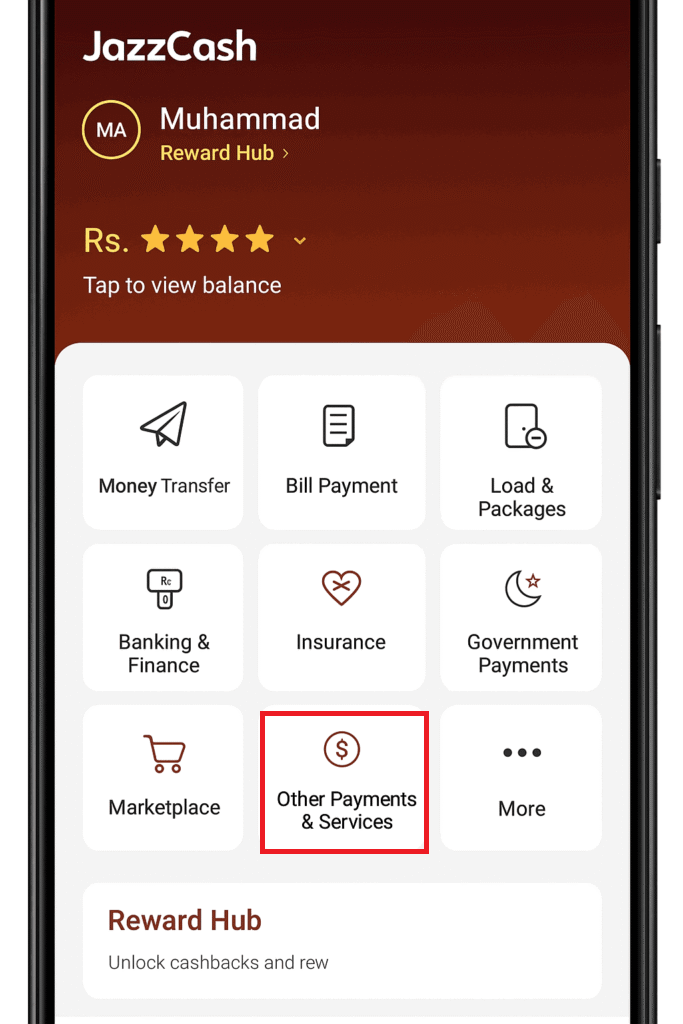
Login to JazzCash App and tap on Other Payments & Services
2
Select Corporate Payments
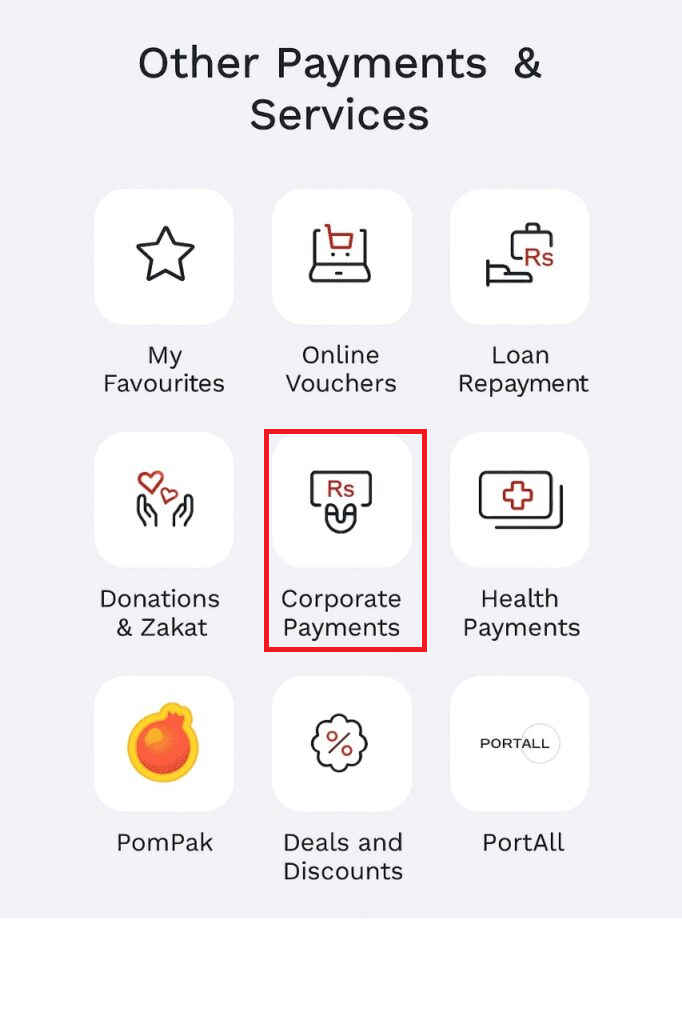
Tap on "Corporate Payments" from Menu
3
Select 1Bill (Invoice and Voucher)
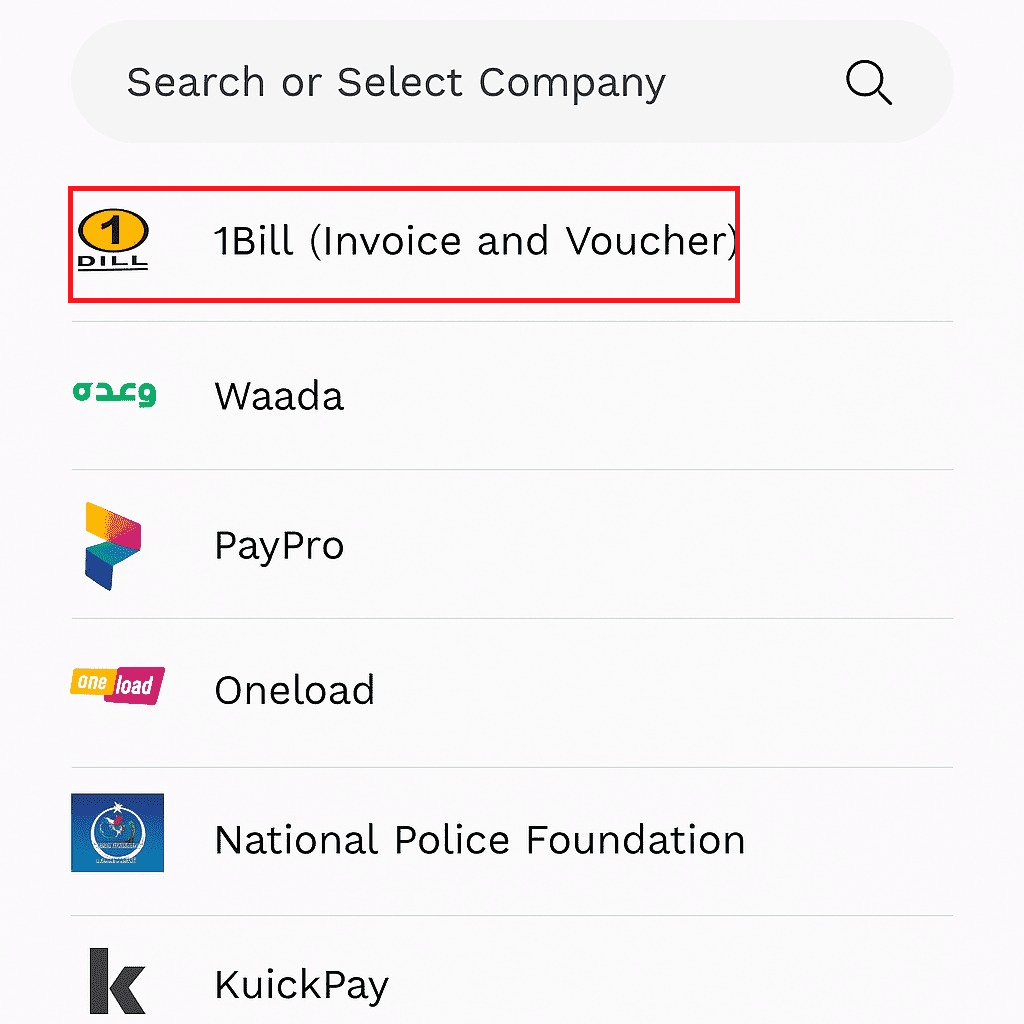
Select "1Bill (Invoice and Voucher)" from list
4
Enter Jazzcash Voucher Number
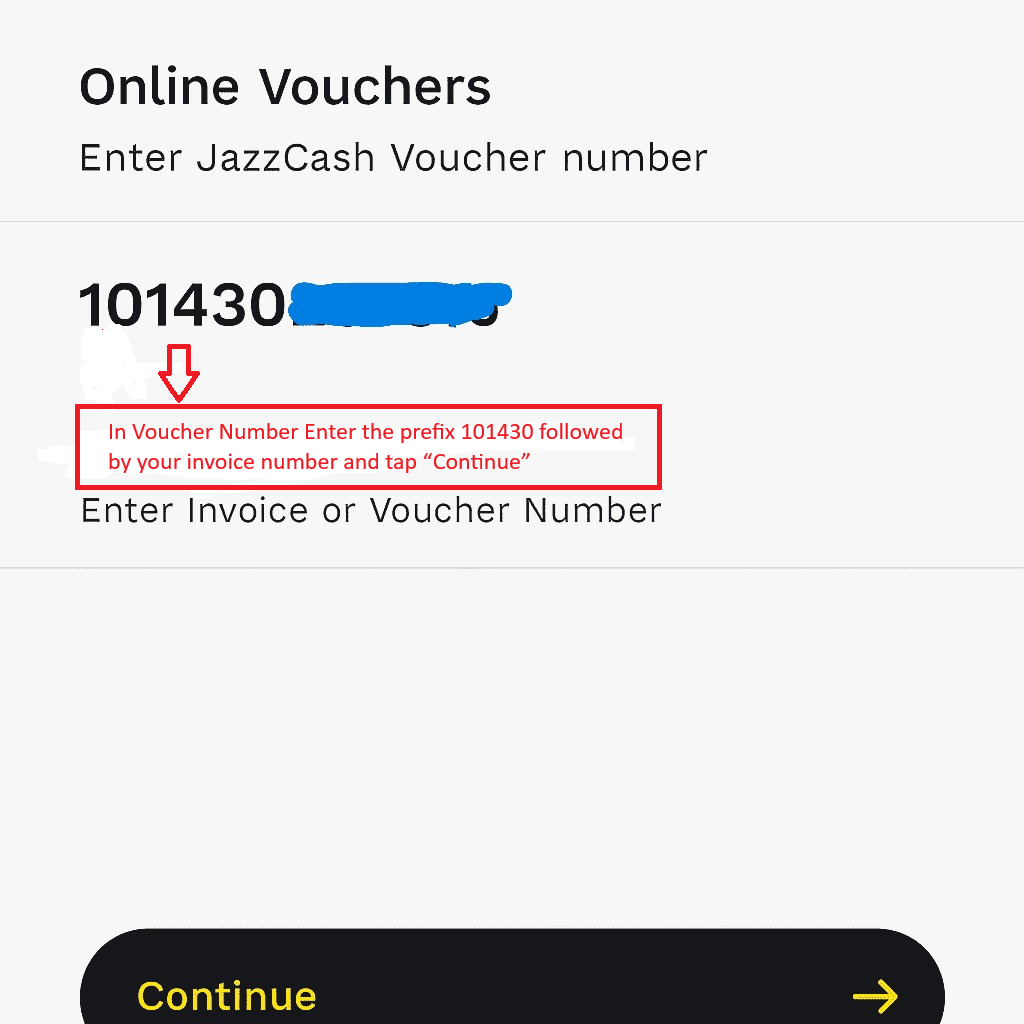
In Voucher Number Enter the prefix 101430 followed by your invoice number and tap "Continue"
5
Review Payment Details
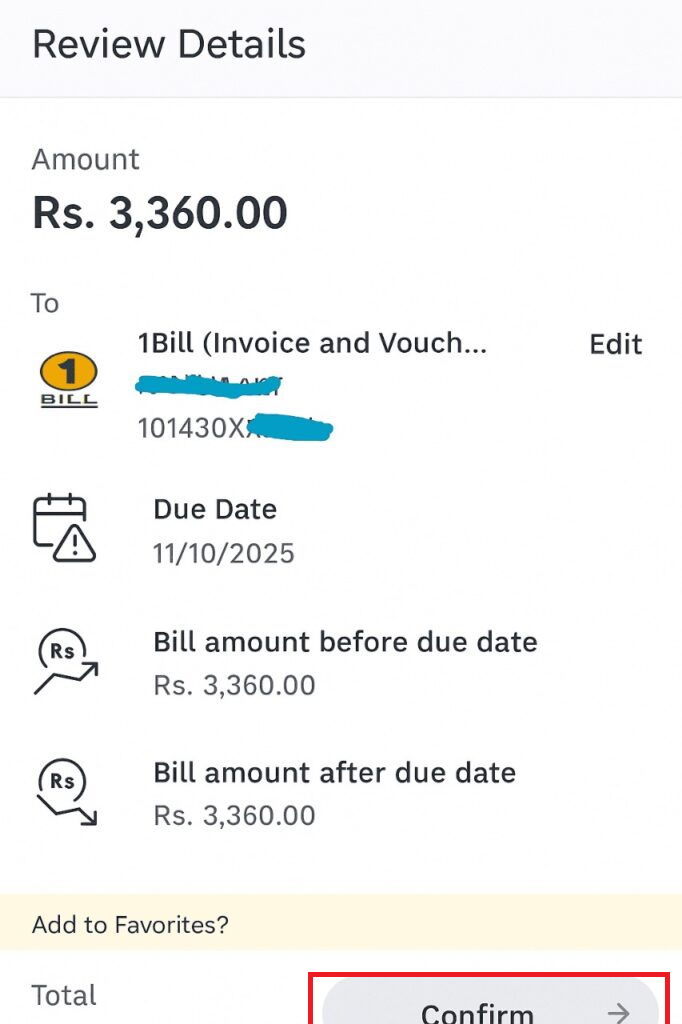
Review Bill Details and Tap "Confirm" to make payment
Important Information
To complete your payment through JazzCash, please follow the instructions below when entering the voucher/invoice number:
1
Enter the Brain Onelink prefix 101430 before your invoice number.
2
After the prefix, enter your actual invoice number.
3
Combine both numbers without any spaces.
Example
Prefix: 101430
Invoice Number: 2198464
Final Consumer Number: 1014302198464
⚠️
Please make sure the prefix and invoice number are entered exactly as shown to avoid payment failure.